
Deposit Money to Winpkr Game

Depositing money in your Win PKR VIP account is quick, simple, and completely beginner-friendly. WinPKR supports JazzCash and Easypaisa, making it easy for Pakistani users to add funds and start playing without any hassle. WINPKR is a popular online betting app currently operating in Pakistan and trusted by many users. The platform is packed with useful features and offers a simple and convenient way to earn money online. You can easily download the app from the official website, WINPKR.online, and get started within minutes.
After creating an account, users can place bets on different sports and enjoy a wide range of online games available inside the app. WINPKR supports JazzCash and Easypaisa, making deposits and withdrawals quick, safe, and hassle-free for Pakistani users. One of the biggest advantages of WINPKR is its user-friendly interface, which makes navigation easy even for beginners. In addition, the app regularly offers bonuses and rewards, giving players more chances to increase their earnings. Overall, WINPKR is a convenient option for users in Pakistan who are looking for an easy-to-use betting app with secure payment methods and exciting gaming features.
Log in to Your Win PKR Account
First, open the Win PKR app and log in using your registered details.
Open the Deposit Section
After logging in, look at the left side of the screen and tap on the three lines (menu icon). From the menu, select the Deposit option.

Choose a Payment Method
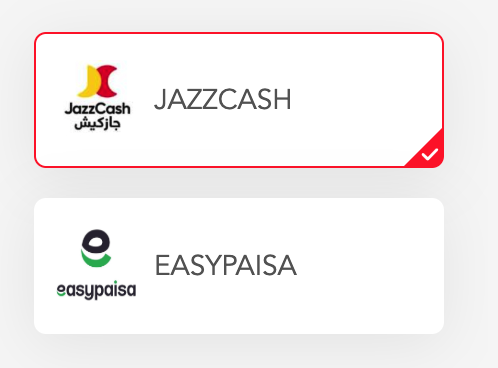
You will now see two available payment options:
- JazzCash
- Easypaisa
Select the one you prefer for your deposit.
Select Deposit Amount
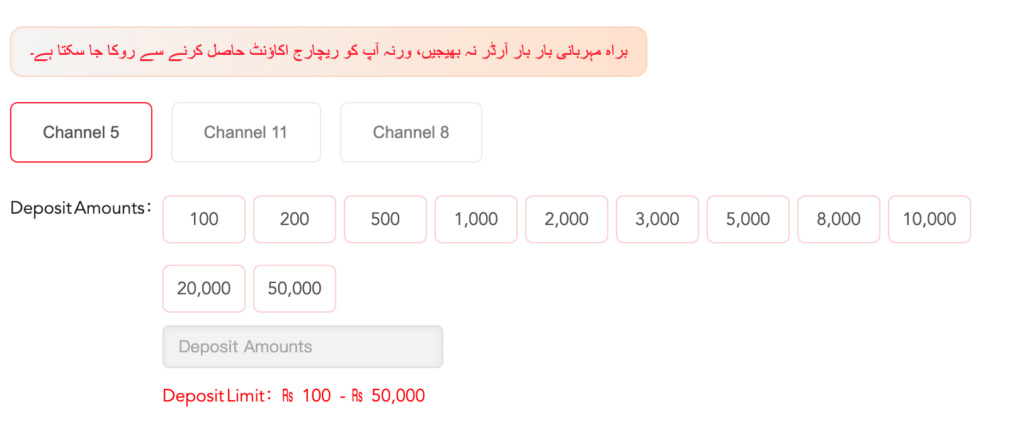
WinPKR offers multiple preset deposit amounts, including:
200, 300, 500, 1000, 2000, 5000, 10,000, and 50,000 PKR
Confirm the Amount
After selecting the amount, click on Confirm to proceed.
Copy the Payment Number
On the next screen, WinPKR will show you a payment number. Copy this number carefully.
Complete Payment via JazzCash or Easypaisa
Now, open your JazzCash or Easypaisa app, paste the copied number, and send the selected amount.
Upload Payment Proof
Once the payment is successful:
- Take a screenshot of the transaction
- Note down the Transaction ID (Tax ID)
Go back to the WinPKR app, enter the Transaction ID, and upload the screenshot.
Confirm Your Deposit
Finally, tap on Confirm Deposit. Your money will be added to your Win PKR account shortly.
Final Words
Depositing money in WinPKR is safe, fast, and user-friendly. All you need is an active JazzCash or Easypaisa account, and you’re good to go. Follow these simple steps and enjoy uninterrupted gameplay on WinPKR.